iPhone app
Don't Waste Coffee
Dial in espresso faster. Log four numbers, rate the shot, and the app tells you exactly what to change next, in your grinder's own units.
- The fastest possible shot log, with grind, dose, yield, time and a rating
- A dial-in engine that learns your grinder and each coffee, and suggests one concrete next step
- Bean tracking with freshness, grams remaining, cost per shot and how much dialing in cost
- Supplies, maintenance and a shopping list that orders beans so they arrive and rest in time
- Widget, Siri, Apple Watch timer and a Lock Screen Live Activity
- Everything stays on the phone, with CSV export and full backup and restore
Coming soon. Don't Waste Coffee is not released yet. This page is published early so its support and privacy information is available. Choose Notify me to get one email when it launches, and nothing else.
Screens
Select a screen to see it larger.
-
Today: the next shot, in your grinder's units 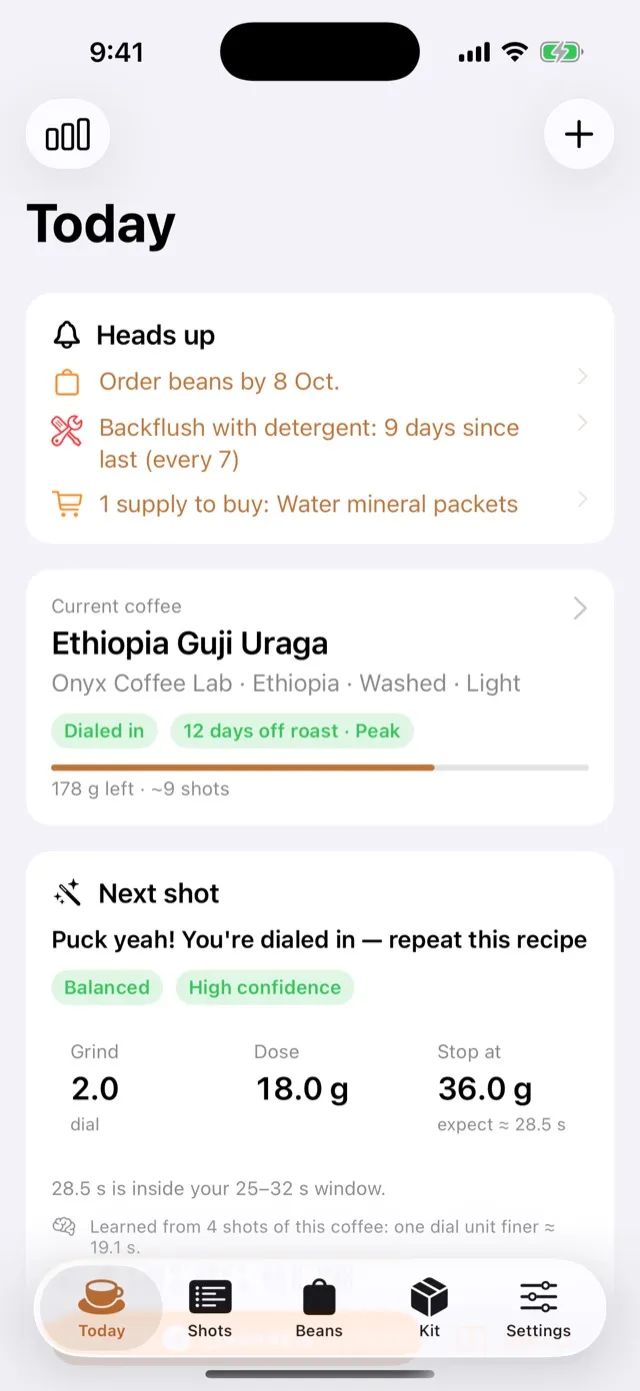
Today: the next shot, in your grinder's units -
Community dial-in from a roaster's QR code 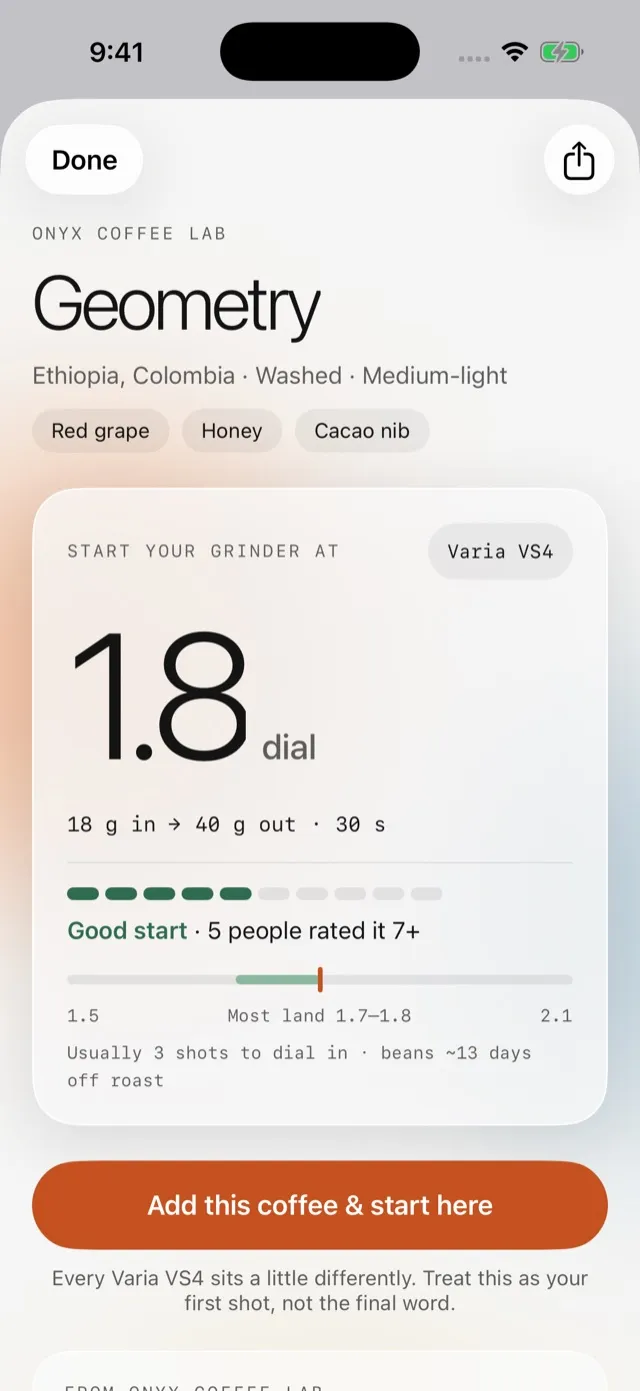
Community dial-in from a roaster's QR code -
Posting a recipe shows exactly what is shared 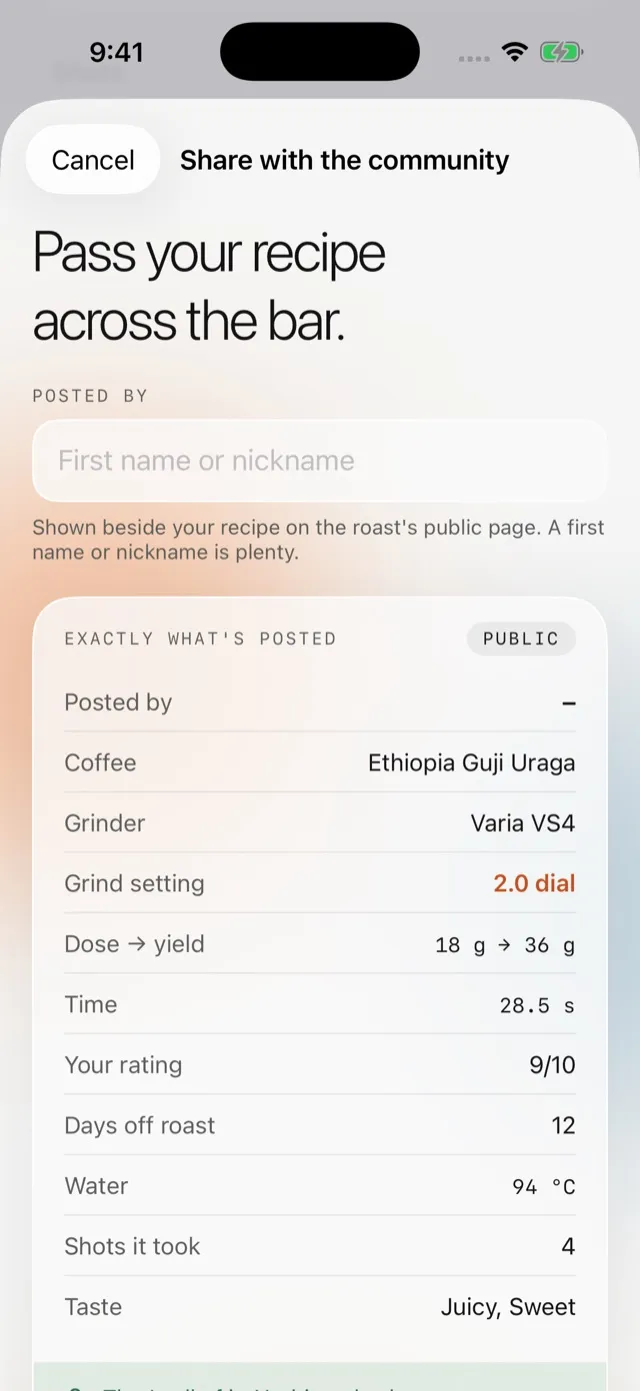
Posting a recipe shows exactly what is shared -
Shot timer on Apple Watch 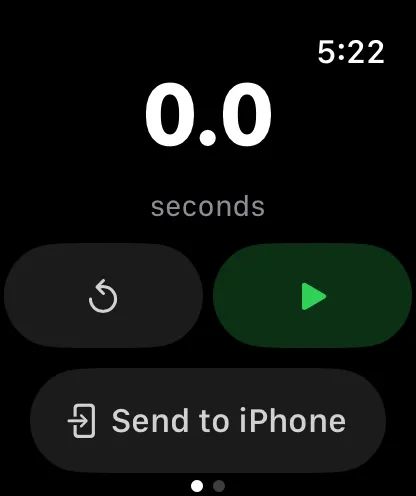
Shot timer on Apple Watch -
Medium home-screen widget 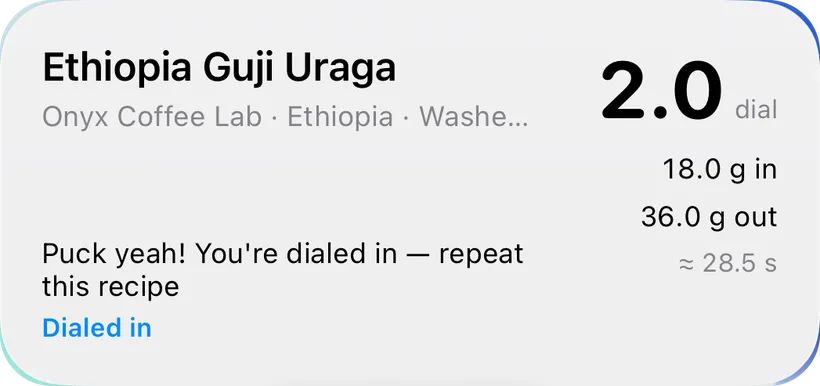
Medium home-screen widget
Home espresso burns money in the first days of every new bag. You change the grind, forget what you changed, over-correct, and the bag is half gone before it tastes right. Don’t Waste Coffee does one thing: the fastest possible log, and a recommendation you can act on immediately.
The dial-in engine
After each shot the app produces a concrete next step. If the shot channelled, it says to fix puck prep and hold the grind. If the ratio was off, it says where to stop the yield next time. When time and taste disagree, taste wins, but the move is kept small. The size of a grind move is learned from your own shots, so the suggestion comes out as a setting on your grinder (“set 2.1”), not as a vague “go finer”.
It keeps learning. Each coffee gets its own fit of brew time against grind setting, with bean age accounted for so ageing is not mistaken for a grind effect. A new bag borrows what the grinder learned from previous coffees. And every suggestion records the time it expects, so the app can report how often it lands within two seconds.
Beans, gear and supplies
Track bags from on the way, through resting, to open and finished, with a barcode scan to jump to one you already own and a label scan that reads roast date and origin off the bag. A catalog of common grinders, scales, machines and roasters gets you started. Supplies and maintenance chores surface when they are due, and the shopping list works out when to order beans so they arrive and rest before the open bags run out.
Private by design
Data lives on your phone in SwiftData, with iCloud sync explicitly off. The only network use is the optional community dial-in, when you scan a roaster’s QR code or choose to post a recipe. Export shots as CSV, or take a full JSON backup. A privacy manifest declares no tracking and no data collection.
Details and the community dial-in pages are on the Don’t Waste Coffee website (opens in a new tab).
Accessibility and standards
What Don't Waste Coffee is built and checked against, in plain words. These are our own checks, not third-party certifications. About these standards.
- No data collection
- The app gathers nothing about you: no analytics, no advertising identifiers, no tracking, and no server of ours. Its App Store privacy label is Data Not Collected.
- Apple privacy manifest
- A file Apple requires inside every app that states what data it collects and why it uses certain system features. Ours declare no tracking and no collection.
- Works offline
- Every main task works in airplane mode after the first install. Nothing waits on a server to let you do your work.
- Your data in open formats
- Exports come out as CSV, JSON, Markdown, PDF or RSS: files any spreadsheet, text editor or reader can open, with no need for our software.
Questions about Don't Waste Coffee
Is Don't Waste Coffee available for Android?
Not yet. Don't Waste Coffee is an iPhone app with an Apple Watch companion. If that changes, this page will say so.
Which grinders does it know?
A catalog of about seventy grinders with their dial ranges, step sizes and typical espresso moves, plus about sixty scales, seventy machines and sixty roasters. Anything missing can be added by hand, and catalog ranges are editable.
What is community dial-in?
A roaster prints a QR code on the bag. Scan it and the app shows where people on your grinder model landed with that roast. Posting your own recipe is optional and shows you exactly what will be shared before you press Post. Nothing else ever leaves the phone.