Mobile app
SameMoment
Friends' phone videos of the same moment, lined up by sound into one multi-angle video, with everyone's name on it.
- A host creates an event and prints a card; guests scan it and add videos with no app and no account
- Every clip is lined up by sound on the host's phone, then cut into one multi-angle video
- A watch link where every contributor is credited and can open their own angle
- Switching, grid, full-event and highlights styles, with beat snapping
- Seven languages, and an installable web app that works offline
- Pay per event or per season, once, with no subscription; only the demo event is free
Coming soon. SameMoment is not released yet. This page is published early so its support and privacy information is available. Choose Notify me to get one email when it launches, and nothing else.
Screens
Select a screen to see it larger.
-
What guests see when they scan 
What guests see when they scan -
Every video lined up by sound 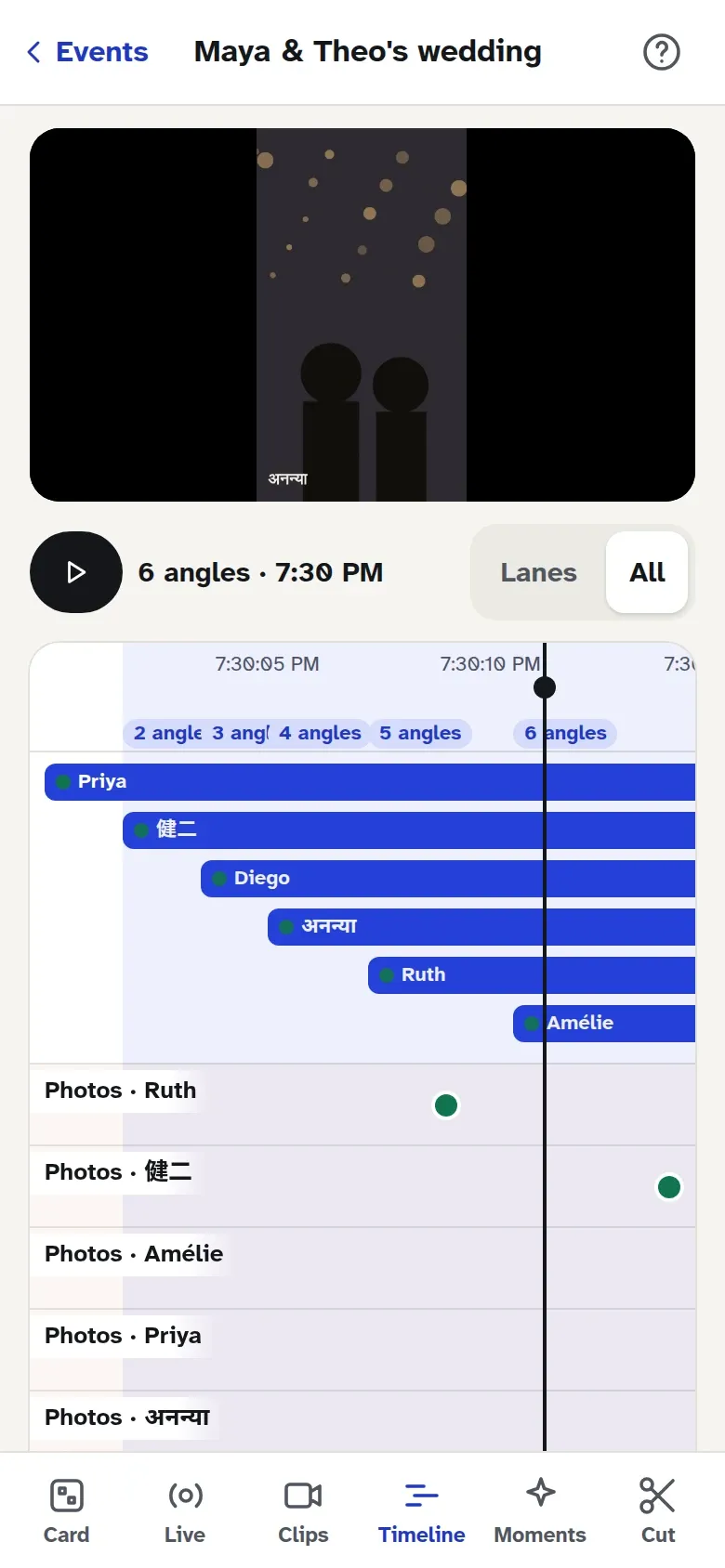
Every video lined up by sound -
Every angle of one moment, in sync 
Every angle of one moment, in sync -
The link everyone gets 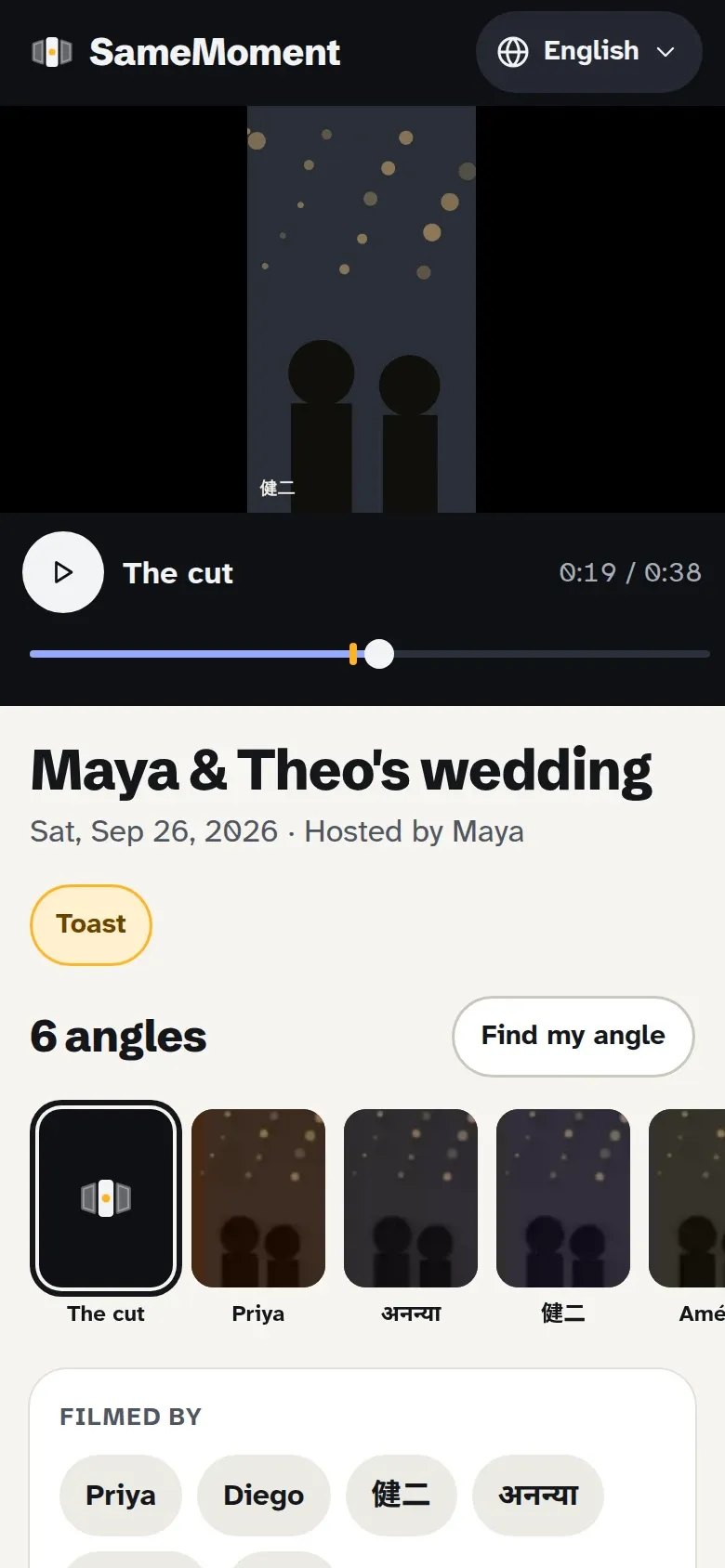
The link everyone gets -
Take the whole event home, offline 
Take the whole event home, offline -
The upload card on a couple's wedding site 
The upload card on a couple's wedding site
A recital, a game, a first dance. Six people filmed it on six phones, and every one of them has a video that misses the moment the others caught. SameMoment puts them together.
How it works
The host creates an event and prints a card. Guests scan it and add videos from their camera roll, with no app to install and no account to create. The host’s phone lines every clip up by its sound, builds the cut, and publishes a watch link where each contributor is credited and can open their own angle.
The cut
The alignment runs on the host’s device: a coarse pass on the audio envelope, a fine pass with cross-correlation, confidence scoring, and drift correction for phones whose clocks run at slightly different speeds. The cut is a rule set rather than an editor: switching between angles, a grid, the full event or a highlights reel, with beat snapping and steadiness-aware switching so a shaky angle does not win the shot.
For teams and schools
A Season pass covers a season of games, and Keep for 10 years holds a finished video past its default retention. Printables, embeddable widgets and subscribable pages let a club put the latest video where its members already look.
Everything else, including pricing and the host app for iPhone and Android, is on the SameMoment website (opens in a new tab).
Accessibility and standards
What SameMoment is built and checked against, in plain words. These are our own checks, not third-party certifications. About these standards.
- WCAG 2.1 AA
- The international accessibility checklist for the web, at the level most laws point to: readable contrast, keyboard operation, labels a screen reader can read, and no meaning carried by color alone.
- Multiple languages
- The interface is translated, and dates, plurals and layouts adapt to the language. Each product page lists its languages.
- Works offline
- Every main task works in airplane mode after the first install. Nothing waits on a server to let you do your work.
- Strict Content Security Policy
- The web pages tell the browser to run no outside scripts. That blocks a whole class of attacks and keeps third-party trackers out by construction.
Questions about SameMoment
Do guests need the app?
No. Guests scan the event card and add videos from their camera roll in the browser, with no app and no account. Only the host uses the SameMoment app, on iPhone or Android.
How does it line up the videos?
By sound. The host's phone finds the offset between every pair of clips from their audio, scores its confidence, corrects for phones whose clocks drift, and places every clip on one timeline. No clapperboard and no manual syncing.
Is there a subscription?
Yes, before guests can upload. An Event pass is $14.99 for one event. A Season pass is $39.99 and covers a season of games for clubs that film every week. Keep for 10 years is $39.99 and holds a finished video past its default retention.