iPhone app
Home Inventory
Photograph the shelf. Ask where things are. Your stuff stays your business.
- Photograph a shelf and everything on it is tagged on the phone, in the background
- A nameplate scanner that reads brand, model and serial number off the label
- Search in any household language, Spotlight, and Siri answers "where is my passport?"
- QR labels for boxes, with sheets for Letter and A4
- Insurance proof pages and insurer exports in your market's format
- Share with your household through a folder you already sync, with no server of ours
Coming soon. Home Inventory is not released yet. This page is published early so its support and privacy information is available. Choose Notify me to get one email when it launches, and nothing else.
Screens
Select a screen to see it larger.
-
Photograph the shelf; the things on it are tagged where they sit. 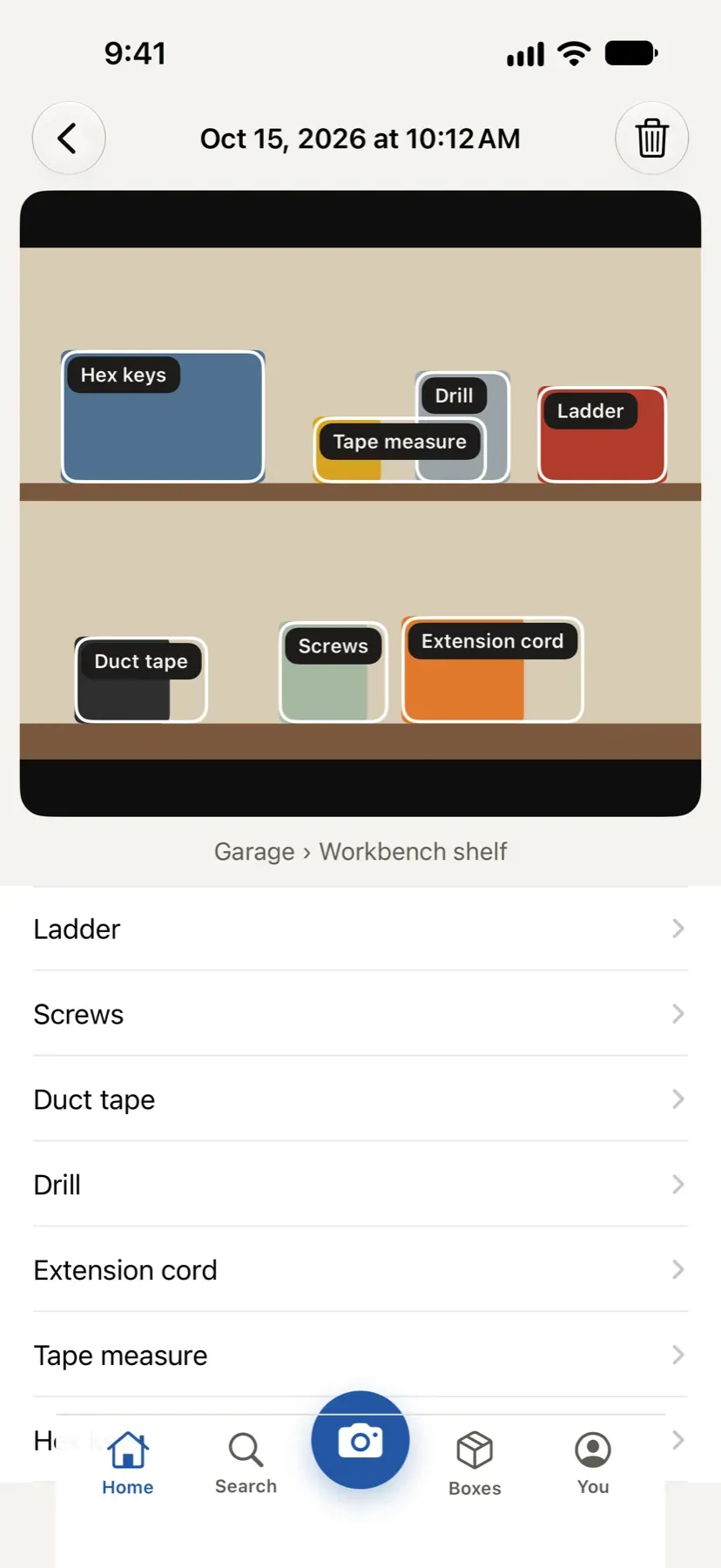
Photograph the shelf; the things on it are tagged where they sit. -
Point the camera at the label: brand, model and serial, read on the phone. 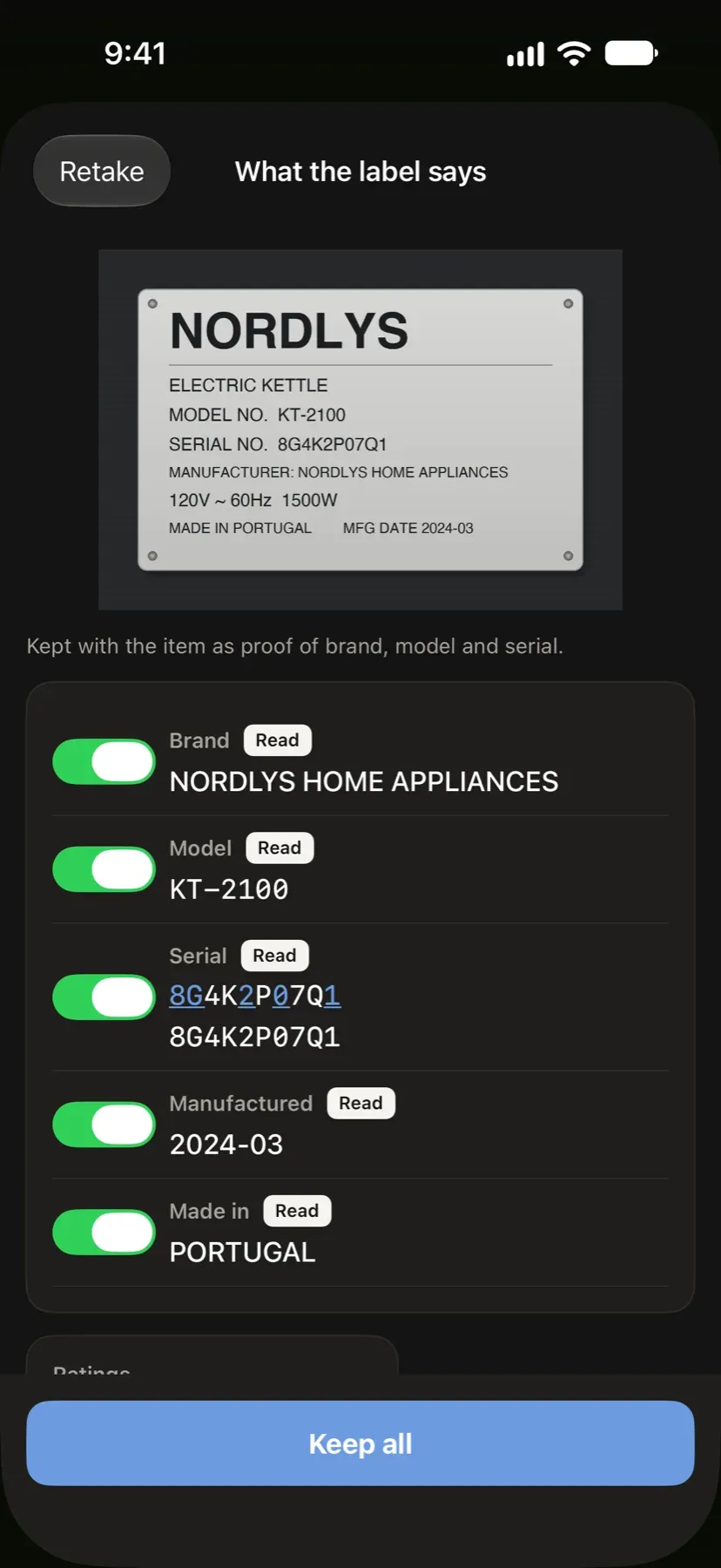
Point the camera at the label: brand, model and serial, read on the phone. -
Ask where something is, and get the room and the shelf. 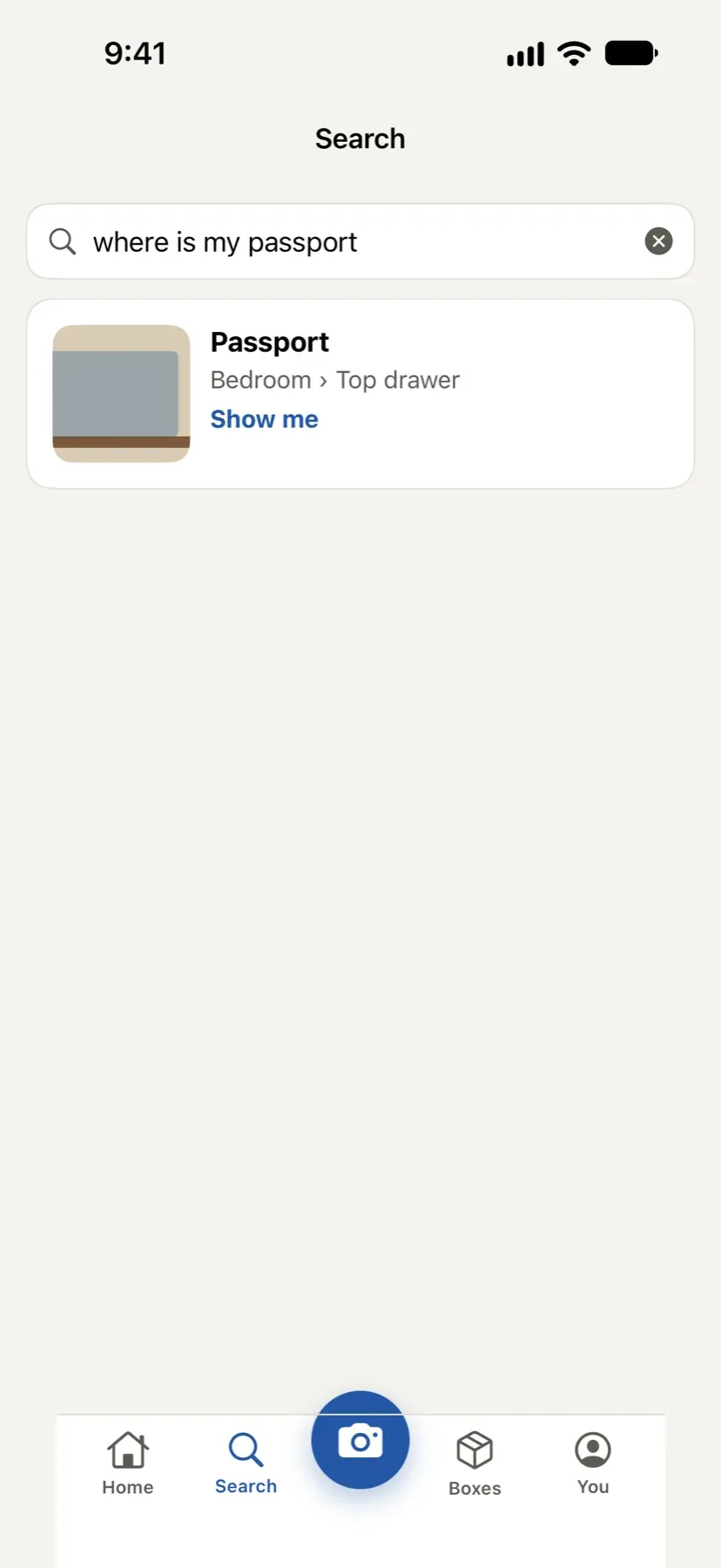
Ask where something is, and get the room and the shelf. -
It's here: the thing circled in its own shelf photo. 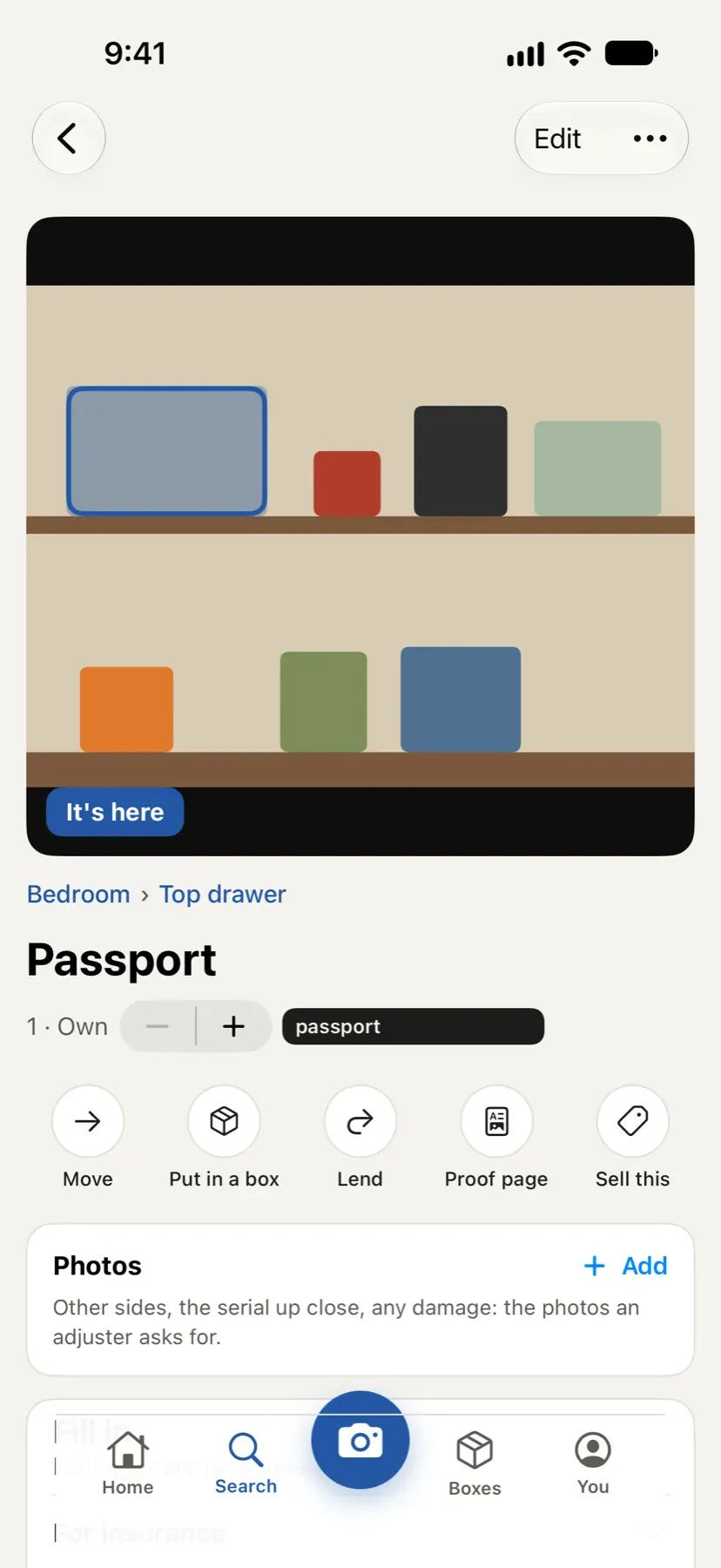
It's here: the thing circled in its own shelf photo. -
Every box gets a QR label. Scan it to see inside without opening it. 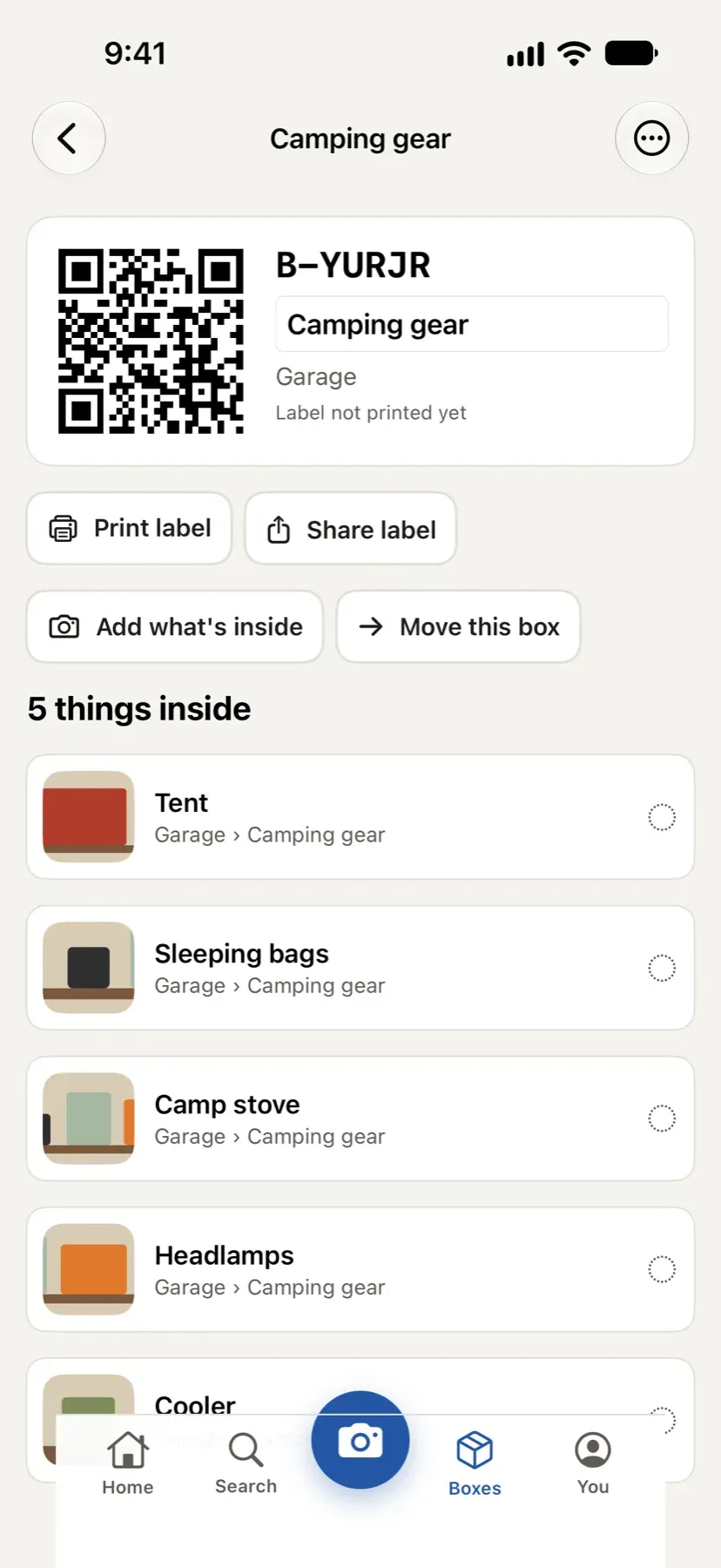
Every box gets a QR label. Scan it to see inside without opening it. -
The list in the format an adjuster asks for, with the photos and receipts. 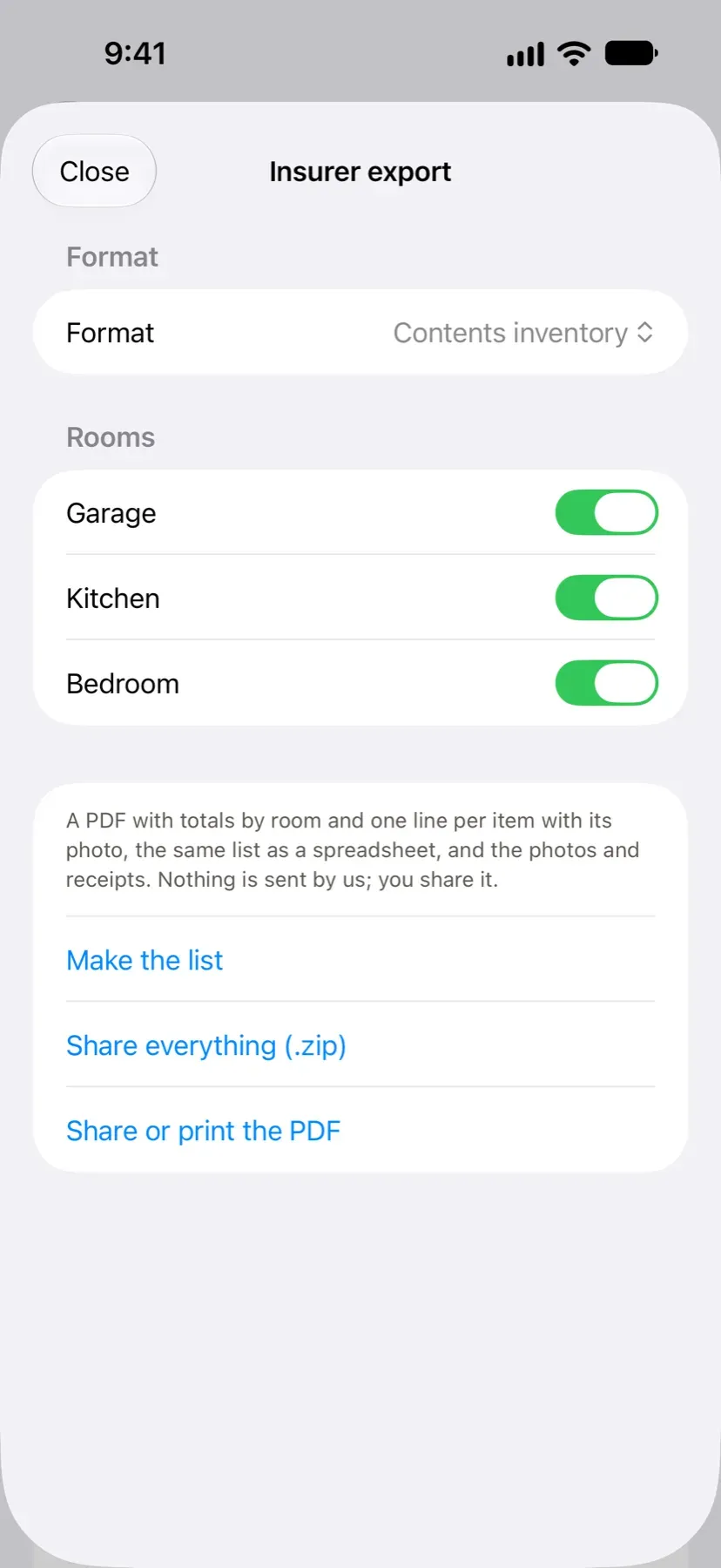
The list in the format an adjuster asks for, with the photos and receipts. -
Share with the people you live with through a folder you already sync. 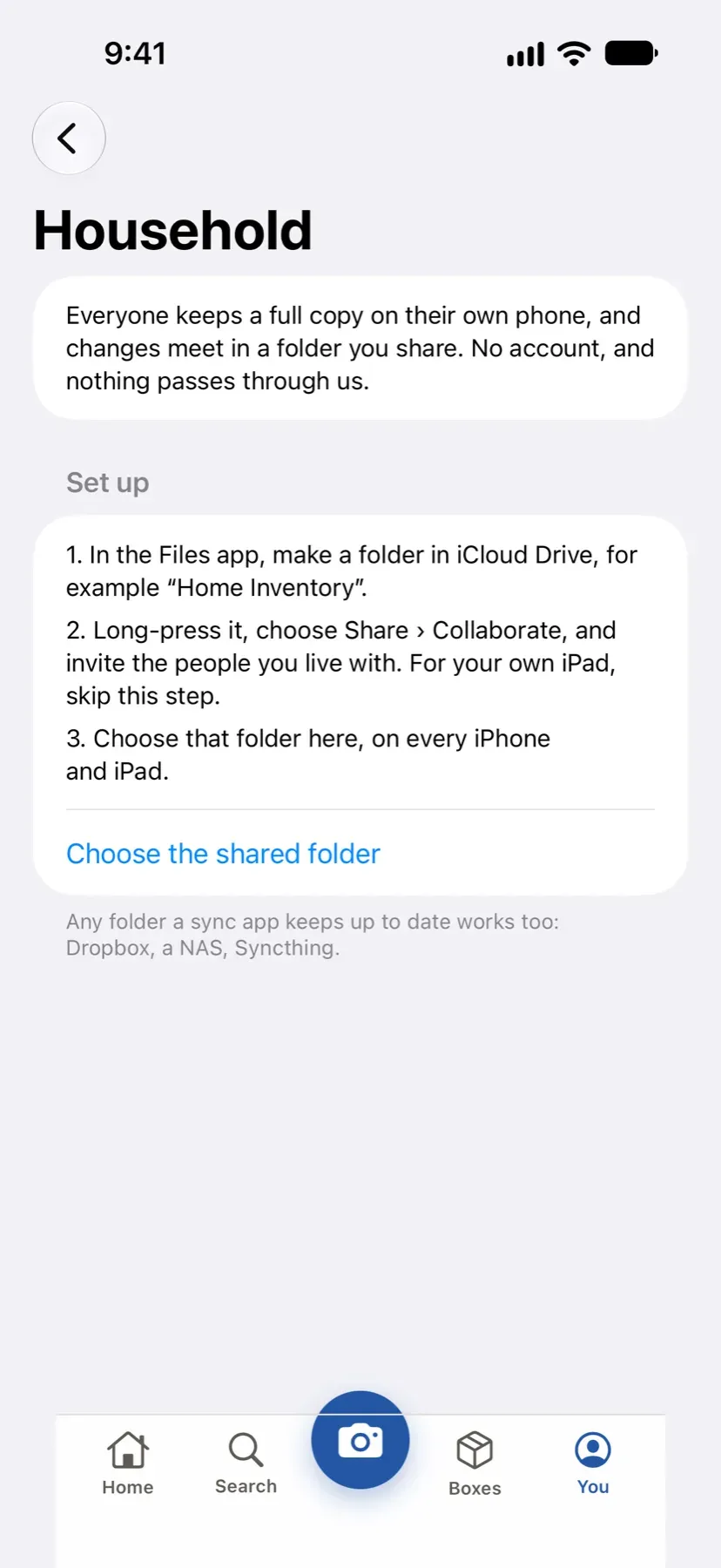
Share with the people you live with through a folder you already sync.
Home Inventory answers two questions: what do we own, and where is it. Photograph a shelf and the things on it are recognized and tagged on the phone. Point the camera at an appliance’s label and the brand, model and serial number are read for you, with the label photo kept as proof. Then ask, in any of the household’s languages, where something is.
Find anything
Search in any of the household’s languages, so “Schlüssel” finds the keys. Spotlight finds things from the home screen, and Siri answers “where is my passport?” without opening the app. “Show me” circles the item in its shelf photo.
Boxes and moves
Print QR labels for boxes on Letter or A4 sheets, with door labels for rooms, and scan a label to see what is inside. Moving day gets destination labels, a manifest and arrival scanning. Storage units get a stack map. Lending gets reminders, warranties get a repair log, and “Sell this” lifts the item off its background.
When it matters
The inventory becomes an insurance claim: a proof page per item, a fill-in queue for what is missing, receipt scanning, and an export in the format an adjuster in your country expects, with a cover letter. Templates cover the US, the UK, Germany, France, Spain and Brazil.
Yours, on your devices
No account and no server of ours. Share with the people you live with, and between your own iPhone and iPad, through a folder you already sync. Export everything as JSON, CSV, a PDF photo book or labels; import from other apps; keep passphrase-encrypted backups. An optional Face ID lock keeps the app switcher from showing a photo or a serial number. The app ships in English, German, French, Spanish and Brazilian Portuguese.
Accessibility and standards
What Home Inventory is built and checked against, in plain words. These are our own checks, not third-party certifications. About these standards.
- No data collection
- The app gathers nothing about you: no analytics, no advertising identifiers, no tracking, and no server of ours. Its App Store privacy label is Data Not Collected.
- Apple privacy manifest
- A file Apple requires inside every app that states what data it collects and why it uses certain system features. Ours declare no tracking and no collection.
- Works offline
- Every main task works in airplane mode after the first install. Nothing waits on a server to let you do your work.
- Encrypted backups
- Backup files are encrypted on your device with a passphrase only you know, using the same family of encryption that banks use. We cannot open them, and cannot recover a lost passphrase.
- Your data in open formats
- Exports come out as CSV, JSON, Markdown, PDF or RSS: files any spreadsheet, text editor or reader can open, with no need for our software.
- Multiple languages
- The interface is translated, and dates, plurals and layouts adapt to the language. Each product page lists its languages.
Questions about Home Inventory
Does the app need access to my whole photo library?
No. You photograph a shelf from inside the app or pick photos with the system picker, which hands over only what you choose. Recognition and tagging run on the phone in the background.
How does sharing with my household work without an account?
Through a folder you already share, in iCloud Drive or any synced folder. Each device reads and writes there; the latest change wins and deletions go to Recently deleted. There is no server of ours in the middle.
What can I export?
Everything: JSON, CSV, a Homebox-compatible CSV, a PDF photo book, photos, and label sheets. Insurer exports come in your market's format, and a passphrase-encrypted backup can be restored on a new device.
Is there a subscription?
No. The app is free up to 100 items. Pro is a one-time purchase of $9.99 with Family Sharing.