iPhone app
Rough Day Kit
A small kit for days that feel heavy. Open something real you chose on a better day: a letter to yourself, kind words, a familiar voice, one small thing, or a calm moment.
- Tap I need a moment and choose one thing: comfort, one small next step, or a grounding moment
- Open-when letters you write to your future self, which never open by themselves
- Kind words people said, added from a screenshot and read on your phone, with names covered if you like
- Recordings and videos from people you trust, played when you want to hear them
- One small thing: a short list of tiny, manageable actions you make your own, with nothing counted
- Ground me: notice what is around you, a calm photo you chose, or a slow breathing pace
- Everything stays on your iPhone, with optional Face ID lock, encrypted backups and real deletion
Coming soon. Rough Day Kit is not released yet. This page is published early so its support and privacy information is available. Choose Notify me to get one email when it launches, and nothing else.
Screens
Select a screen to see it larger.
-
One button, when the day gets hard 
One button, when the day gets hard -
Choose one thing, and you can stop at any point 
Choose one thing, and you can stop at any point -
Comfort: things you chose on a better day 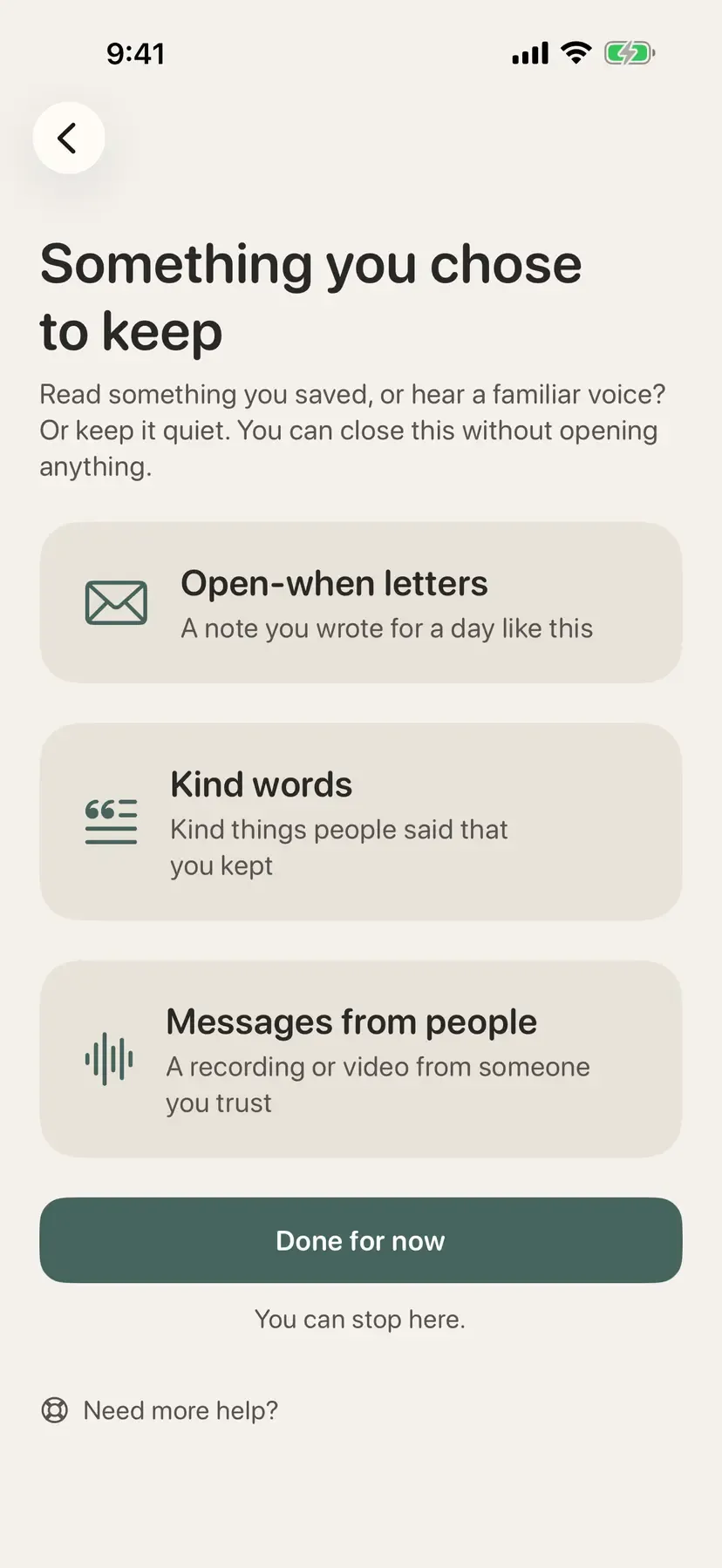
Comfort: things you chose on a better day -
A letter you wrote for a day like this 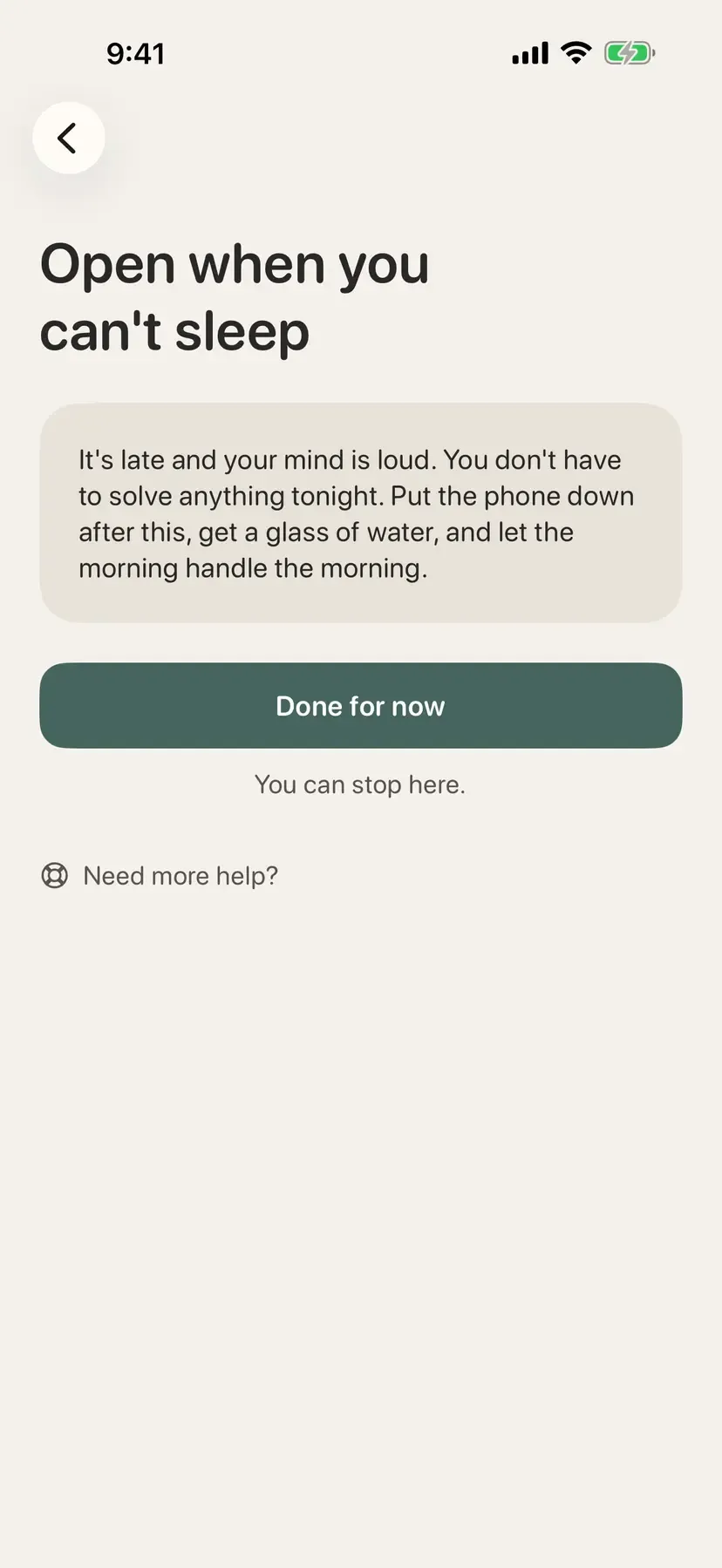
A letter you wrote for a day like this -
Kind words someone said, kept for later 
Kind words someone said, kept for later -
Ground me: three ways to come back to the room 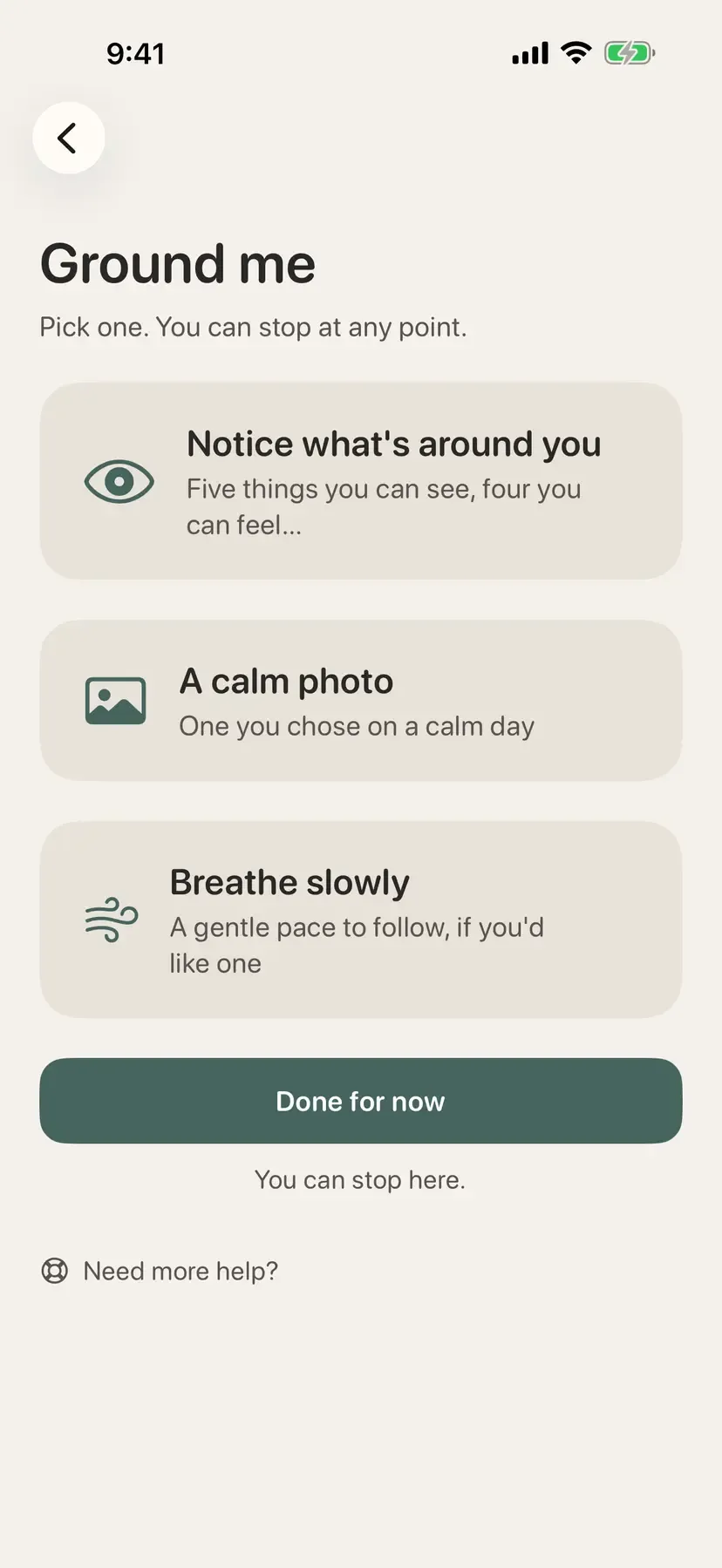
Ground me: three ways to come back to the room -
What stays on this phone, in plain words 
What stays on this phone, in plain words
Rough Day Kit is for the moment a day turns heavy. Instead of a feed, a chatbot or a tracker, it holds a few real things you chose when you were feeling better, and hands you one of them when you ask.
Three paths
Tap I need a moment and pick what you would like.
Comfort is things you chose to keep: open-when letters you wrote to your future self, kind words people said, and recordings or videos from people you trust. A letter never opens by itself.
One small thing is a short list of tiny, manageable actions, like a glass of water or opening the curtains. Make it your own, skip any of them, and nothing is counted.
Ground me is noticing what is around you one prompt at a time, a calm photo you chose on a calm day with one gentle question, or a slow breathing pace to follow, with an optional soft vibration.
Every path ends the same way: Done for now, and an optional one-line note for next time. Look Back, which shows those notes on a later hard day, is off until you turn it on, and you choose which notes it may show.
Kind words from a screenshot
Add a text message or a comment by sharing a screenshot to the app. The words are read on your phone, you can cover up names first, and the picture is kept only if you ask.
Yours, on your iPhone
There is no account, and the app works offline. Nothing you add leaves your iPhone unless you make a backup, which is an encrypted file protected by a passphrase only you know. An optional app lock uses Face ID, and the app switcher never shows your kit. Deleting anything removes it from the phone, including any recording or picture with it.
Not emergency support
Rough Day Kit is not a treatment and does not monitor anything. Need more help? on every rough-moment screen lists help lines for your country, works offline, and is always free. If you might be in danger, call your local emergency number.
Try the sample kit first, or start making your own. Use the whole kit free for 30 days. After that it asks once a day for $3.99, paid once with Family Sharing, and keeps working either way. Need more help? is always free, and there is no subscription. See the support page and the privacy policy.
Can’t afford it right now?
Write to hello@twelvetwolabs.com and say it is Rough Day Kit you want. We will make sure you have it. No questions, no judgment.
Accessibility and standards
What Rough Day Kit is built and checked against, in plain words. These are our own checks, not third-party certifications. About these standards.
- Dynamic Type and large text
- Text follows the size you set in iOS Settings, up to the largest accessibility sizes, and screens rearrange themselves instead of cutting words off.
- VoiceOver
- Apple’s screen reader can use the whole app: every control has a spoken name, screens read in a sensible order, and nothing is image-only.
- Reduce Motion
- When you turn on Reduce Motion in iOS, animation is toned down or removed. Nothing in the app depends on seeing something move.
- WCAG AA color contrast
- Text is at least 4.5 times brighter or darker than what is behind it, so it stays readable in sunlight, on a dim screen, or with low vision.
- Works offline
- Every main task works in airplane mode after the first install. Nothing waits on a server to let you do your work.
- No data collection
- The app gathers nothing about you: no analytics, no advertising identifiers, no tracking, and no server of ours. Its App Store privacy label is Data Not Collected.
- Apple privacy manifest
- A file Apple requires inside every app that states what data it collects and why it uses certain system features. Ours declare no tracking and no collection.
- Encrypted backups
- Backup files are encrypted on your device with a passphrase only you know, using the same family of encryption that banks use. We cannot open them, and cannot recover a lost passphrase.
- Multiple languages
- The interface is translated, and dates, plurals and layouts adapt to the language. Each product page lists its languages.
- Photo metadata removed
- Photos you share or store lose the hidden details a camera embeds, such as GPS location, date and camera model, so a picture never gives away where you were.
Questions about Rough Day Kit
Is Rough Day Kit a mental health or therapy app?
No. It is a lifestyle app: a place to keep comforting things you chose on a better day, and a few simple ways to settle. It does not diagnose, treat or monitor anything. The Need more help? screen lists help lines for your country, works offline and is always free.
Do I have to write or type to use it?
No. Most of the kit is things you set up once and then just open: a letter, a recording, a photo, kind words from a screenshot. On a hard day you tap I need a moment and choose one thing. You can stop at any point.
Where do my letters, recordings and photos go?
They stay in the app's own storage on your iPhone. There is no account and no server. Backups are encrypted files you make yourself and keep wherever you like; we never have a copy and cannot recover a lost passphrase.
Can someone make a kit for me?
Yes. A gift pack is a small sealed kit someone you trust builds for you, with letters, kind words and recorded messages, protected by a passphrase. You decide whether to keep it, and you can stop gifts from a sender at any time.